Visualize Search Paths and Personas
Path Finder

Path Finder takes you deeper than exposure, clicks, and conversions. See exactly where searches dropped off, uncover why they converted, and set your priorities with clarity.

Start Free 7-Day Trial
WHY

Why Path Finder?

Traditional metrics like exposure, clicks, and conversions show outcomes but not the “why.” Without understanding the reasons behind a search journey, it’s hard to know where people dropped off, why they converted, or how to set clear priorities.

  • See the real search journey: Visualize how customers move from query to query.
  • Identify persona by search path: Automatically group personas around shared problems and intentions.
  • Track change over time: Watch how search paths evolve and adapt strategies as behaviors shift.
SOLUTION

Problem · Solution · Market Insight

  • Problem: Clicks alone don’t explain search journeys.

    Click-through data shows outcomes but not the reasons behind them, making it hard to understand consumer intent.

    • Click-through rate doesn’t reveal the reasons behind consumer search paths
    • Flows from non-brand to brand searches, or competitor drop-off points, remain hidden
    • Metric-heavy reports make it difficult to establish clear execution priorities
    Problem: Clicks alone don’t explain search journeys.
  • Solution: Visualize search journeys as a map

    Solution: Visualize search journeys as a map

    Path Finder turns SERP data into a clear picture of how consumers move through search. Journeys are mapped step by step, personas are clustered by intent, and AI reviews uncover the insights behind behavior.

    • Visualize actual search paths step by step.
    • Trace how people move from start to conversion, spotting brand discovery and competitor exits.
    • Cluster journeys by shared purpose to reveal new personas
    • Use AI reviews to turn behavior into creative strategies.
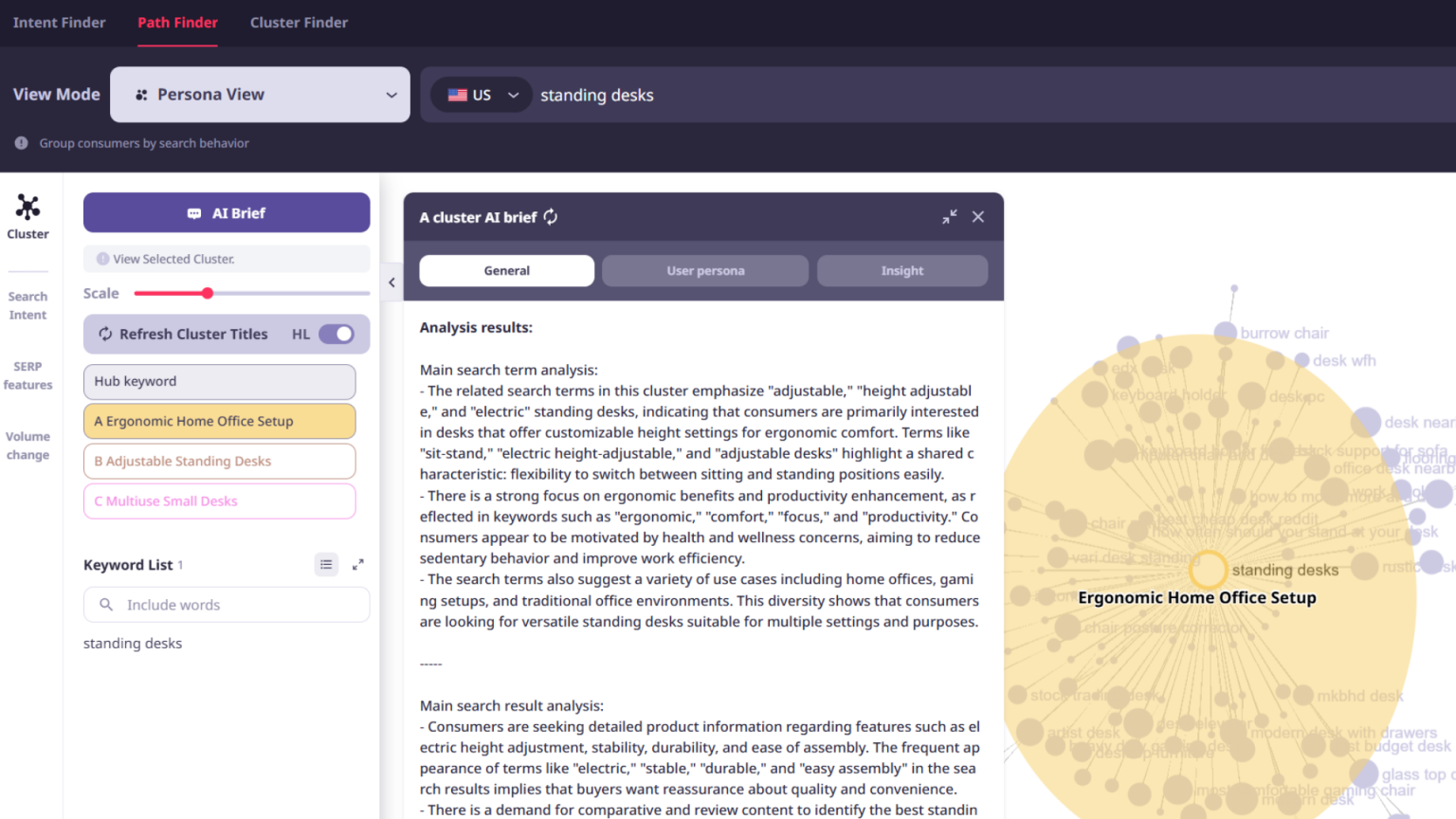
  • Market Insight: Find the real personas hidden in data.

    By analyzing search paths, uncover hidden problems and motivations, identify new market opportunities, and build sharper conversion strategies.

    • Pinpoint where customers switch, convert, or churn.
    • Build strategies tied to authentic consumer problems.
    • Uncover fresh market opportunities through journey analysis.
    Market Insight: Find the real personas hidden in data.
FEATURES

Key Features

Visualize up to 1,000 search sequences with Path Finder. Map consumer journeys, track brand vs. competitor flows, auto-cluster personas by intent, and compare historical paths to surface new market opportunities with help from AI.

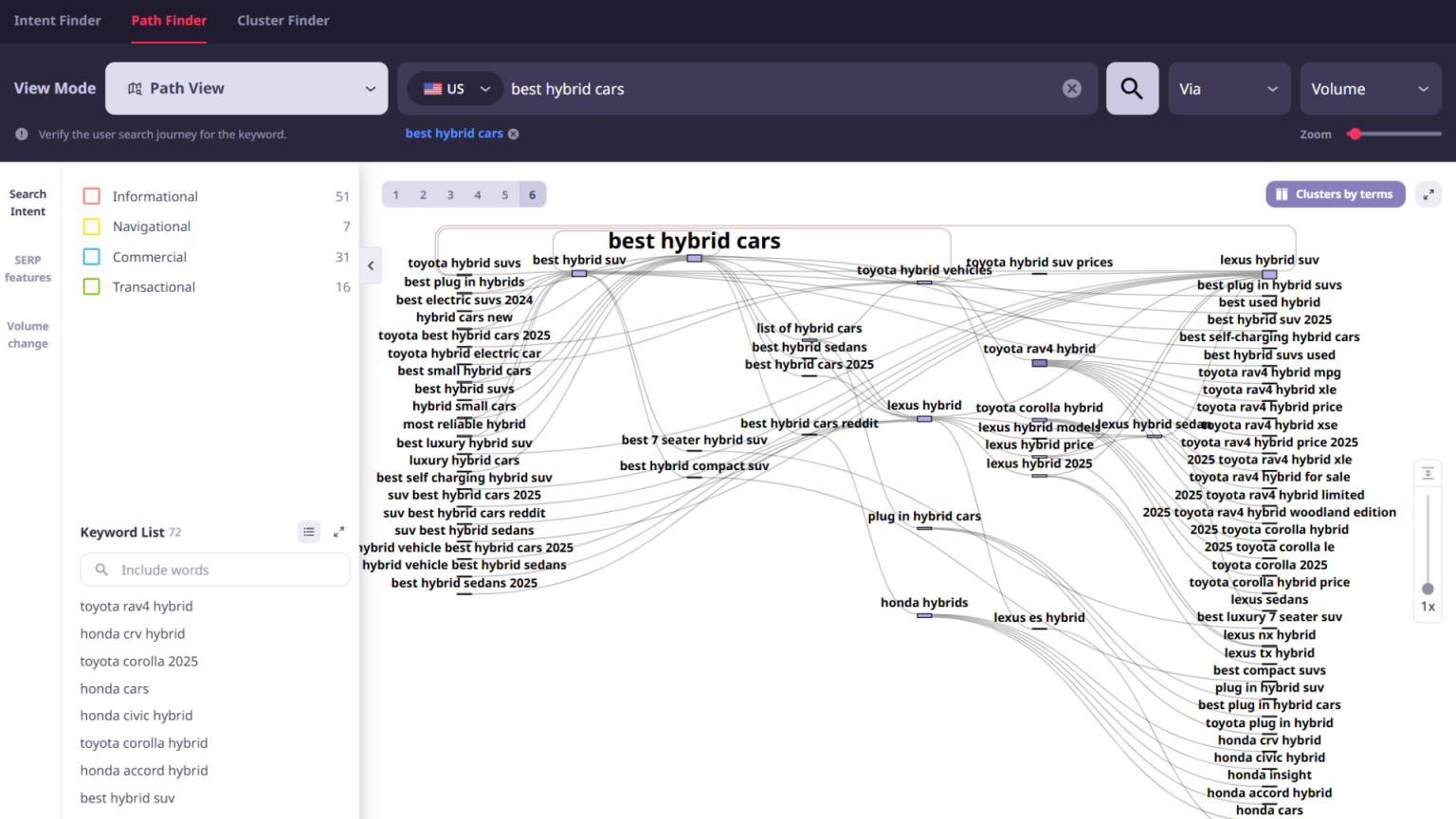
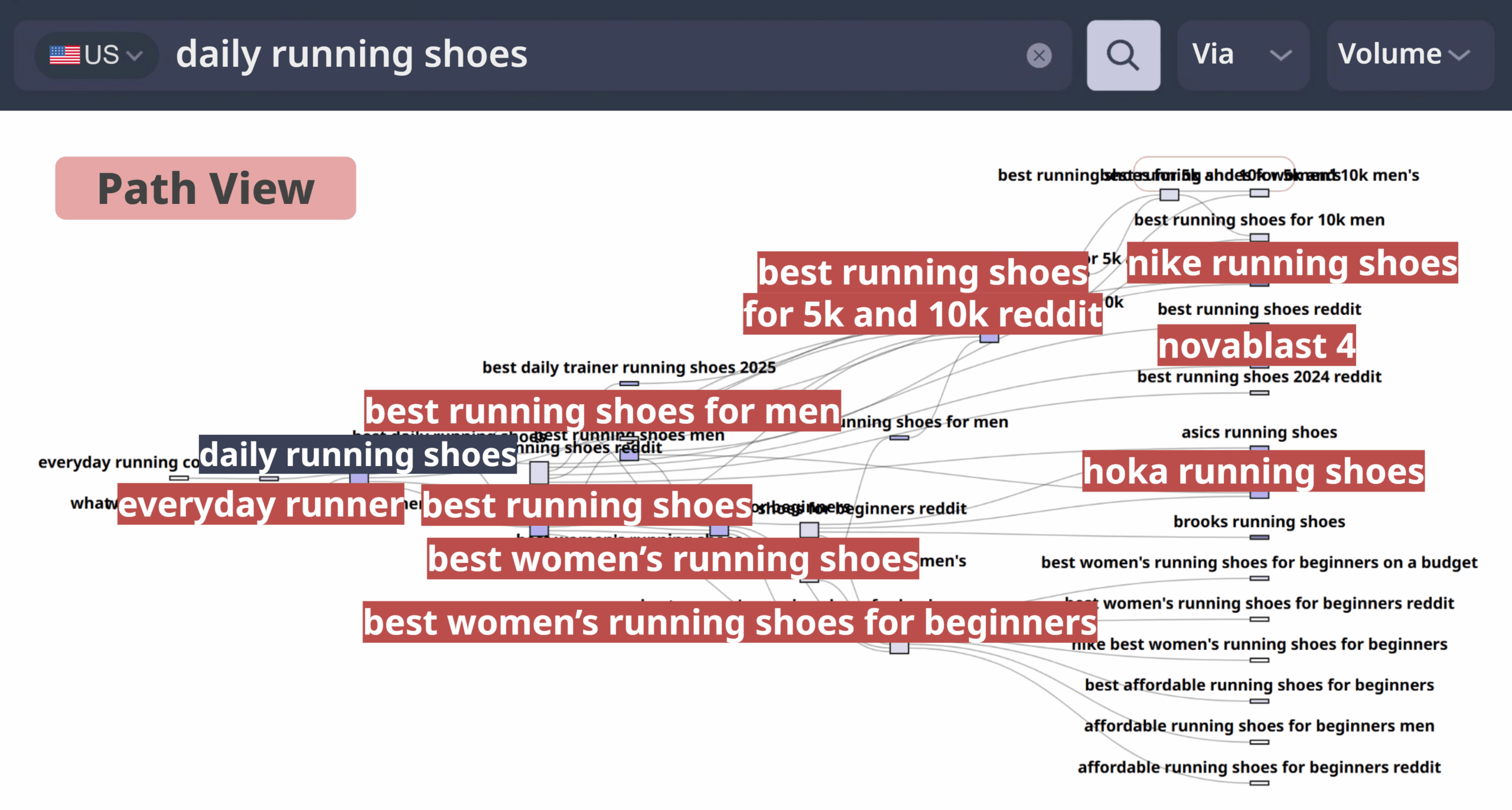
  • Path View: Visualize the real search journey preview

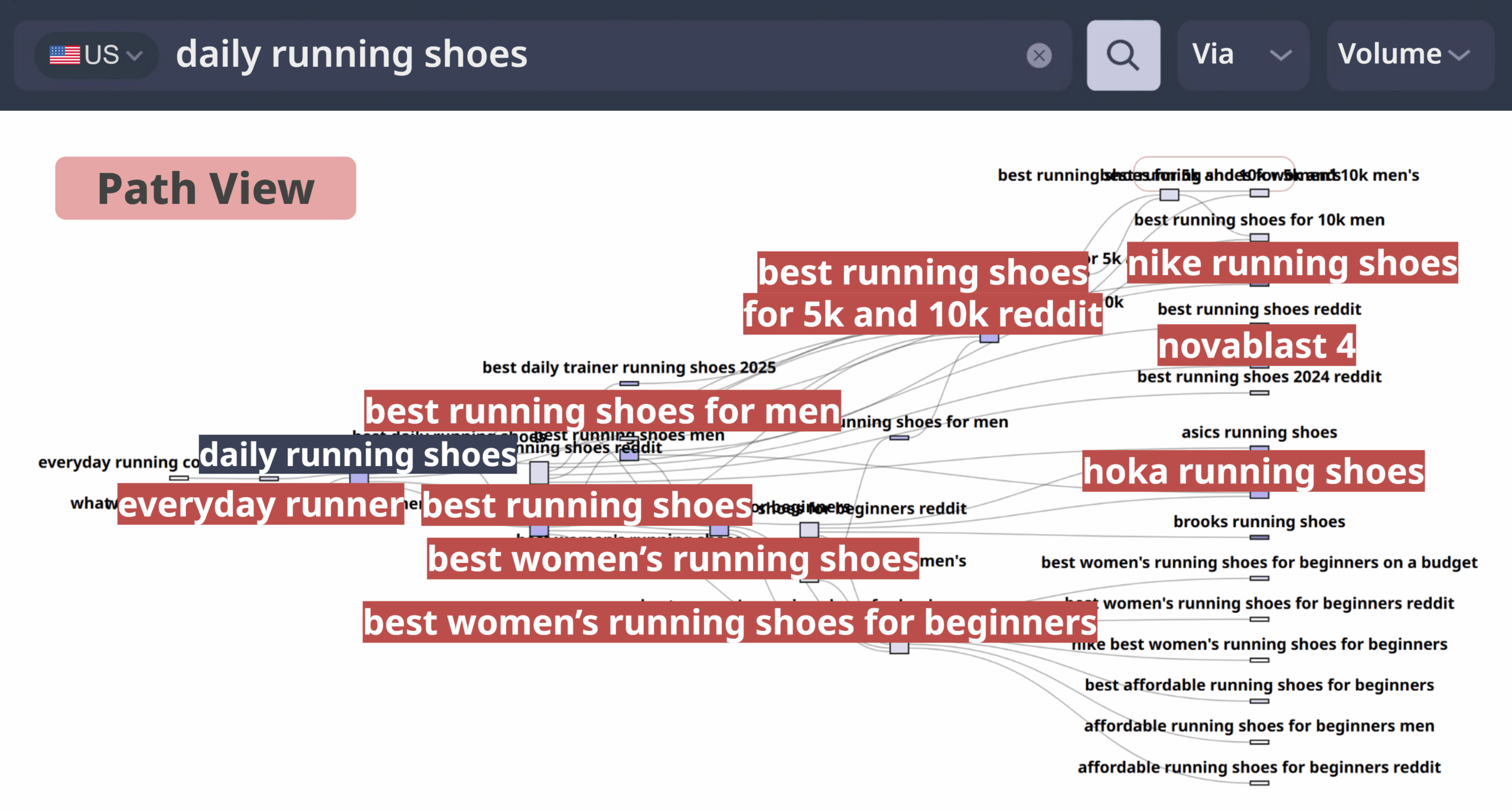
    Path View: Visualize the real search journey

    Visualize up to 1,000 keyword sequences step by step. See how consumers progress from first query to conversion.

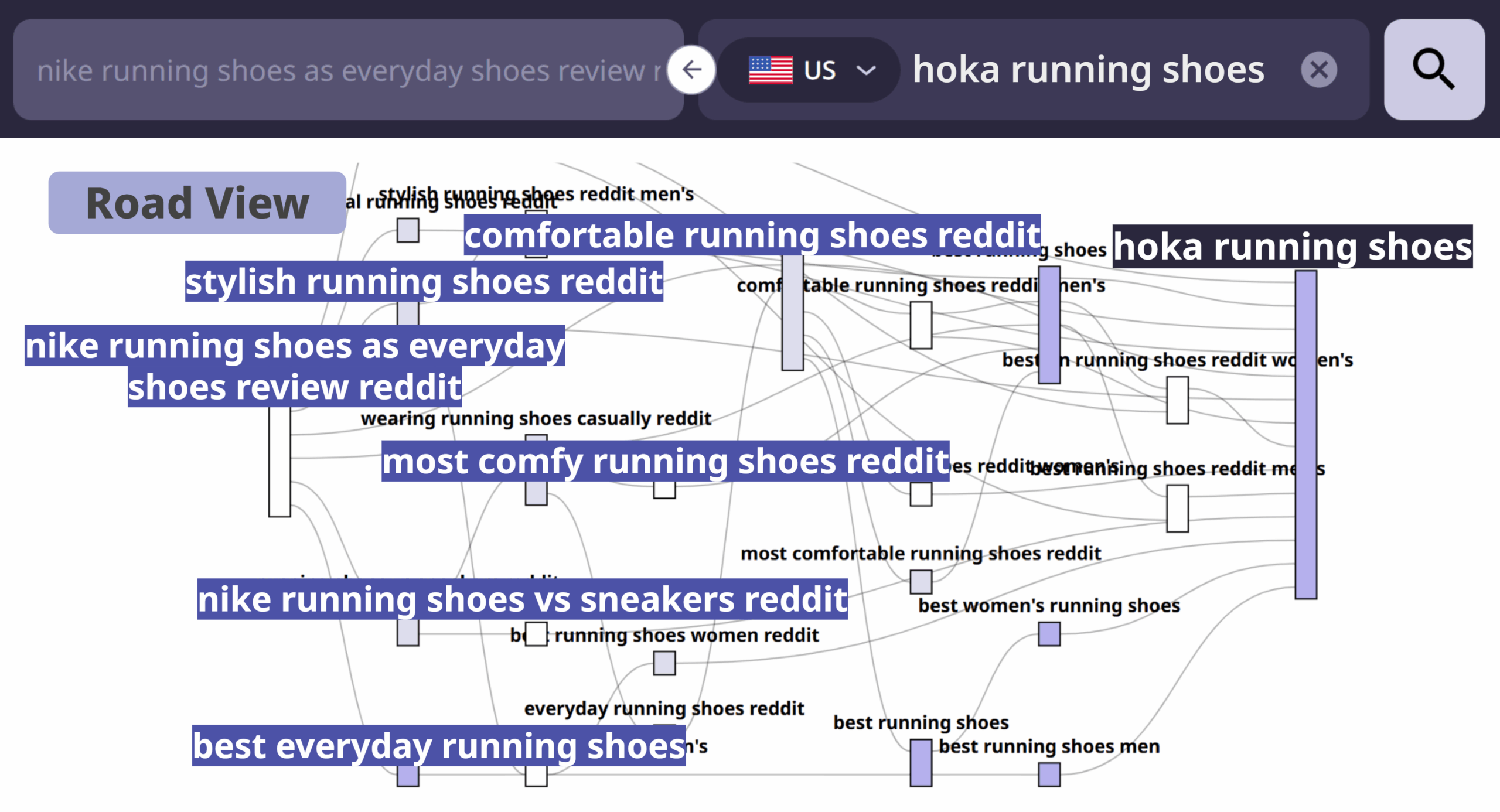
  • Road View: Compare brand and competitor flows preview

    Road View: Compare brand and competitor flows

    Trace journeys between start and end points, spotting brand discovery, competitor drop-offs, and conversion triggers.

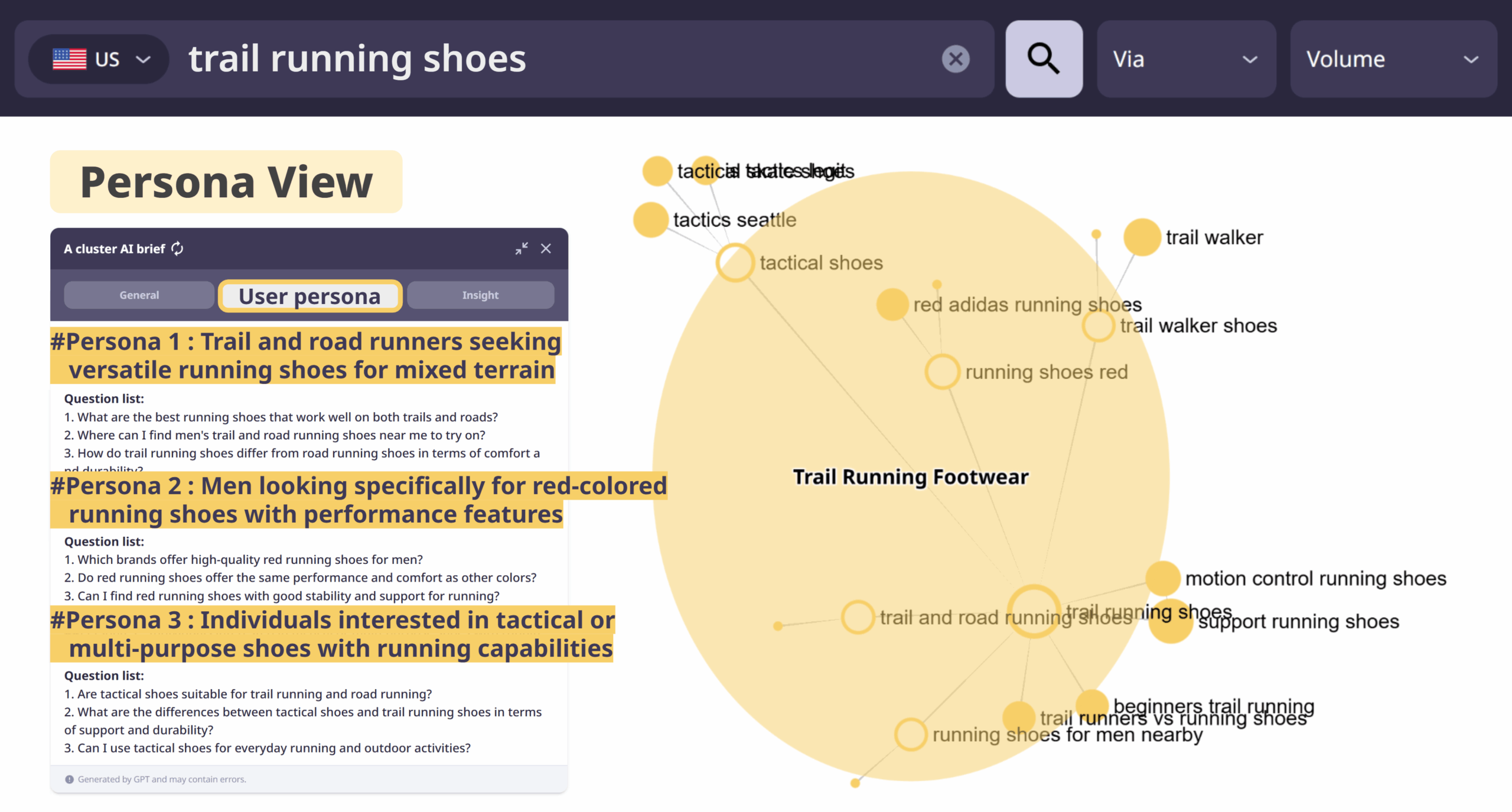
  • Persona View: Identify personas by search path preview

    Persona View: Identify personas by search path

    Group journeys by shared purpose or intent, automatically generating data-backed personas you can use for strategy.

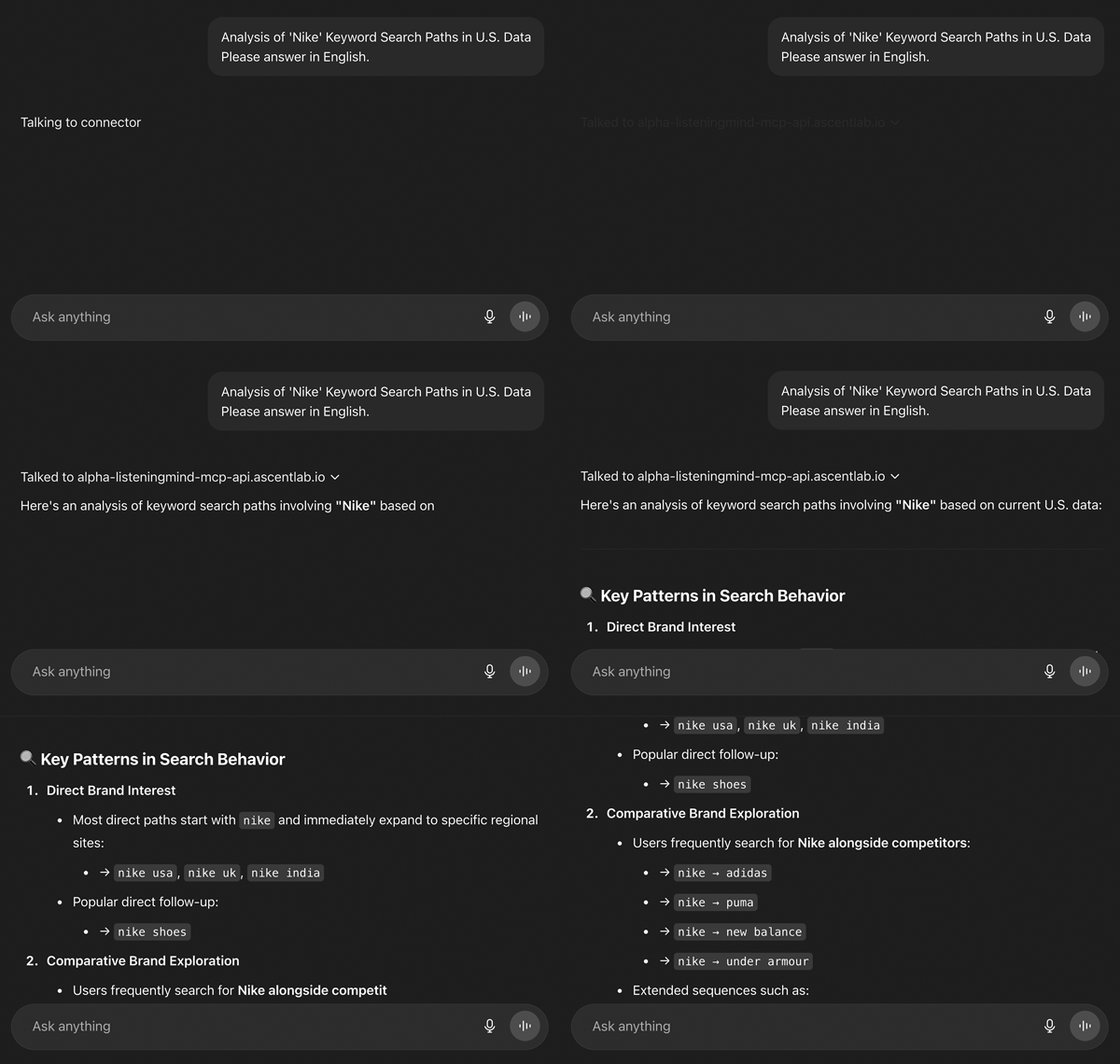
From Insight to Action: Real Market Examples

Spot unmet needs and conversion triggers uncovered in journeys, with direct links to blog insights, landing pages, and case studies.

USA Food Industry Insights

See how US consumers are using Korean hot pepper paste (Gochujang) and how they substitute it when cooking at home.

Read the full analysis →

FAQ

Path Finder What is the time period for the graph data?

Since the graph results in Path Finder are constructed based on Google SERP (Search Engine Results Page) data, the update cycle of the SERP affects the refresh rate of the results.

Currently, for KR data, most SERPs are re-collected within 1 to 2 months. Therefore, you may generally consider the data timeframe of the results to be within the most recent month from the inquiry date. However, please note that some connected keywords may occasionally include data collected within the past year.

Practical Tip: You can view the collection timeframe for a specific keyword by clicking on it. Check the SERP History within the keyword information to identify the exact date of collection.

Path Finder What do the circles in Path Finder mean?

The size and color of each circle represent search volume.
This allows you to identify high-priority keywords at a glance.

  • Circle Size: The size of each circle changes according to the average monthly search volume of that keyword.
  • Circle Color: The color intensity changes according to the average monthly search volume of that keyword.
    • Darker colors represent high search volume, while lighter colors represent low search volume.

Path Finder What is View Mode?

In Path Finder, you can enter a single keyword and access different analysis perspectives by selecting View Mode to the left of your search term.

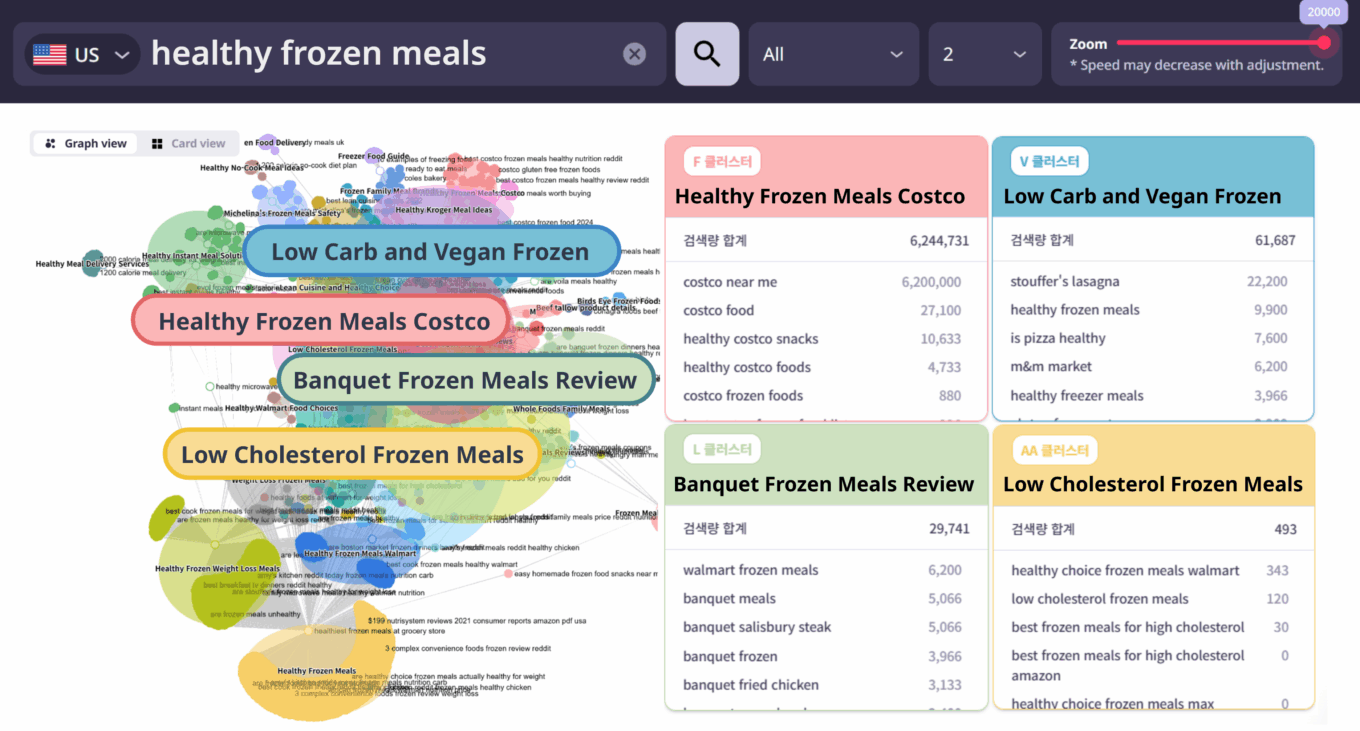
❶ Path View

Visualizes the entire major search journey centered around your entered keyword. Through graph indicators, you can identify the direction of search flow, connection strength, and search volume.

❷ Persona View

Automatically categorizes and visualizes groups of users (Personas) who share similar search objectives or motivations within the journey. This is useful for understanding diverse consumer segments that may exist even within the same search flow.

❸ Road View

Allows you to manually set a starting point and an endpoint within the search flow to specifically track and verify the major paths between them. For example, it can be used to analyze the search journey leading from a specific product category to your brand versus a competitor’s.

❹ Comparison Mode

Provides various comparison options:

  • Keyword Comparison: Compares search paths and intent between two different keywords.
  • Past vs. Present: Analyzes changes in search flow over time.
  • Path vs. Persona: Compares and analyzes the overall search flow and Persona View on a single screen.

Path Finder What is Path Finder?

Path Finder is a tool that visualizes and analyzes the entire consumer search journey. Rather than looking at a single keyword search, it displays the connection paths of various keywords before and after a search in a graph format, allowing you to understand the flow of how users are seeking information.

Practical Tips:

  • Identify which keywords consumers use to begin their initial exploration.
  • Analyze the comparative search flow between competing brands and products.
  • Identify factors that influence product selection within the search flow.

See More Features

Discover the “why” behind every search

Experience intent-driven analysis with a free 7-day trial.