Read the Customer’s “Why” Faster
Intent Finder

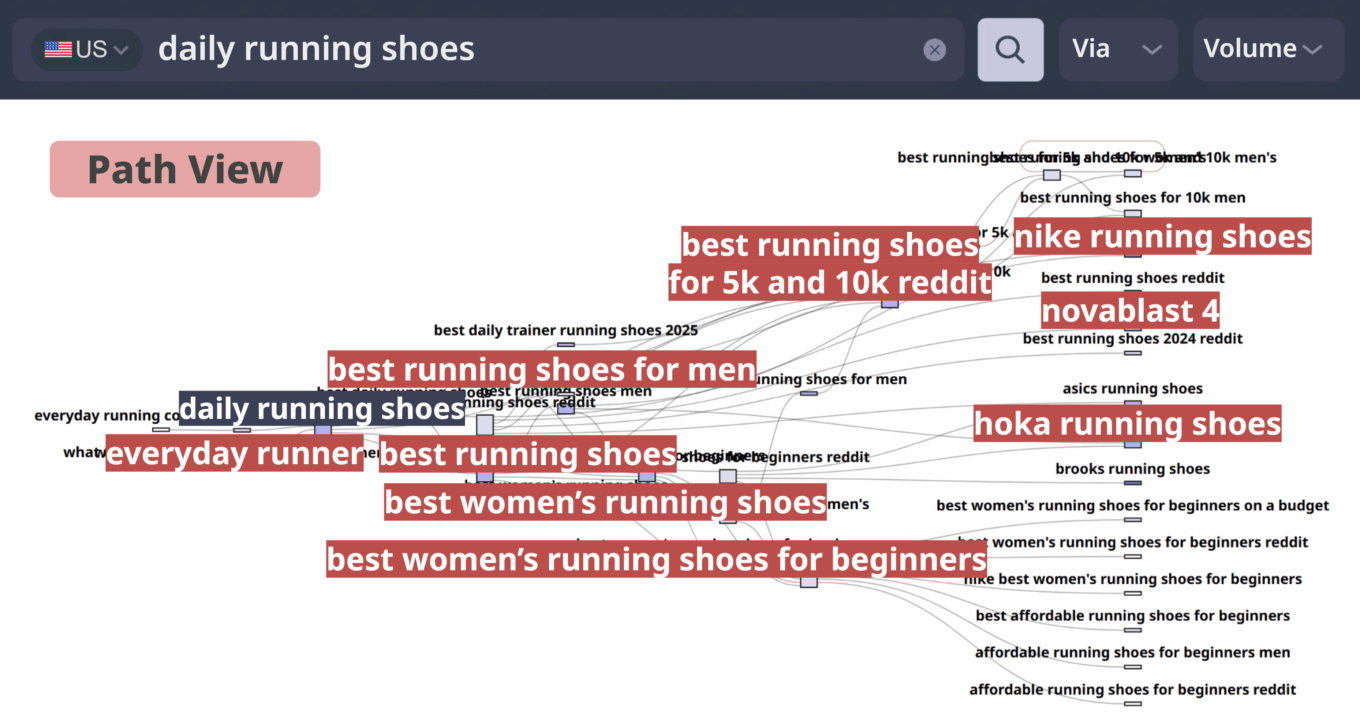
Go beyond search volume analysis and understand the motivation behind the search. Turn insights into action across research, strategy, and execution with Intent Finder.

Start Free 7-Day Trial
WHY

Why Intent Finder?

Most keyword tools stop at showing you how often something was searched. Intent Finder goes deeper: it shows why people searched and turns those insights into action across research, strategy, and execution.

  • See the “why” behind search: not just counts
  • Go beyond lists: reveal real needs and motivations
  • Build with confidence: strategies grounded in actual behavior.
SOLUTION

Problem · Solution · Market Insight

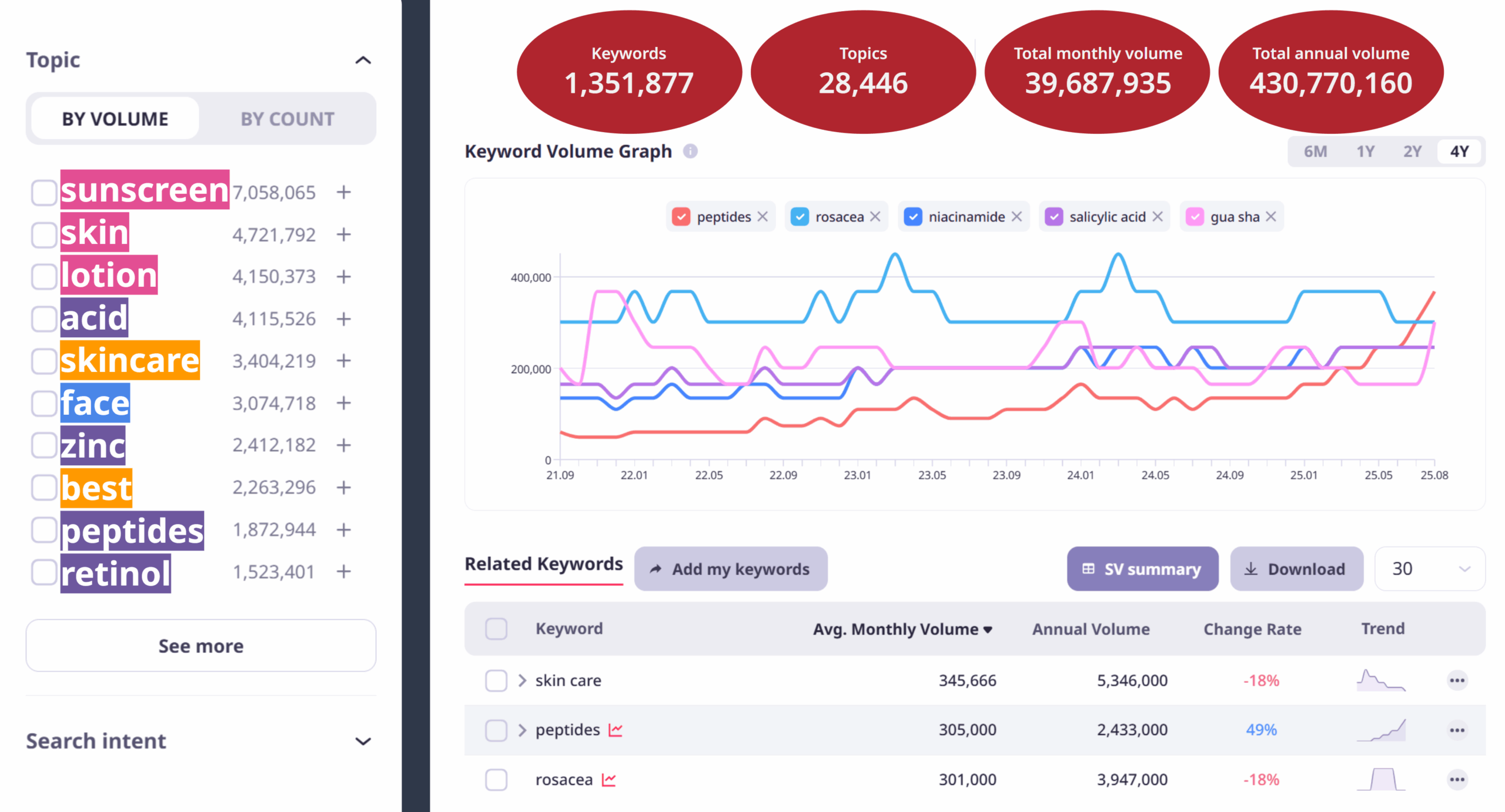
  • Problem: Keyword counts don’t explain the “why.”

    When data stays at the surface level, you miss real consumer concerns and motivations, leaving strategies shallow and priorities unclear.

    • Search volume doesn’t reveal intent.
    • Too few signals for precise targeting.
    • Strategies stay shallow, stuck in lists without priorities.
    Problem: Keyword counts don’t explain the “why.”
  • Solution: Reveal real consumer intent with search data.

    Solution: Reveal real consumer intent with search data.

    Intent Finder analyzes unbiased, real search behavior to quickly size and structure markets. Covering the U.S. (1B+), Japan (300M), and Korea (200M) monthly keywords, it extends beyond keyword counts into full-scale market research and strategic insights.

    • Automatic classification: informational, navigational, transactional, commercial
    • Unified view of CPC, competition, and volume trends
    • One-stop workflow from insight to execution
  • Market Insight: Read markets with full, unbiased data

    By understanding true consumer intent, you can sharpen content and ad strategies, optimize budgets, and capture emerging demand before competitors.

    • Build precise, intent-driven content strategies.
    • Maximize ROI by prioritizing high-conversion keywords.
    • Spot emerging demand before competitors.
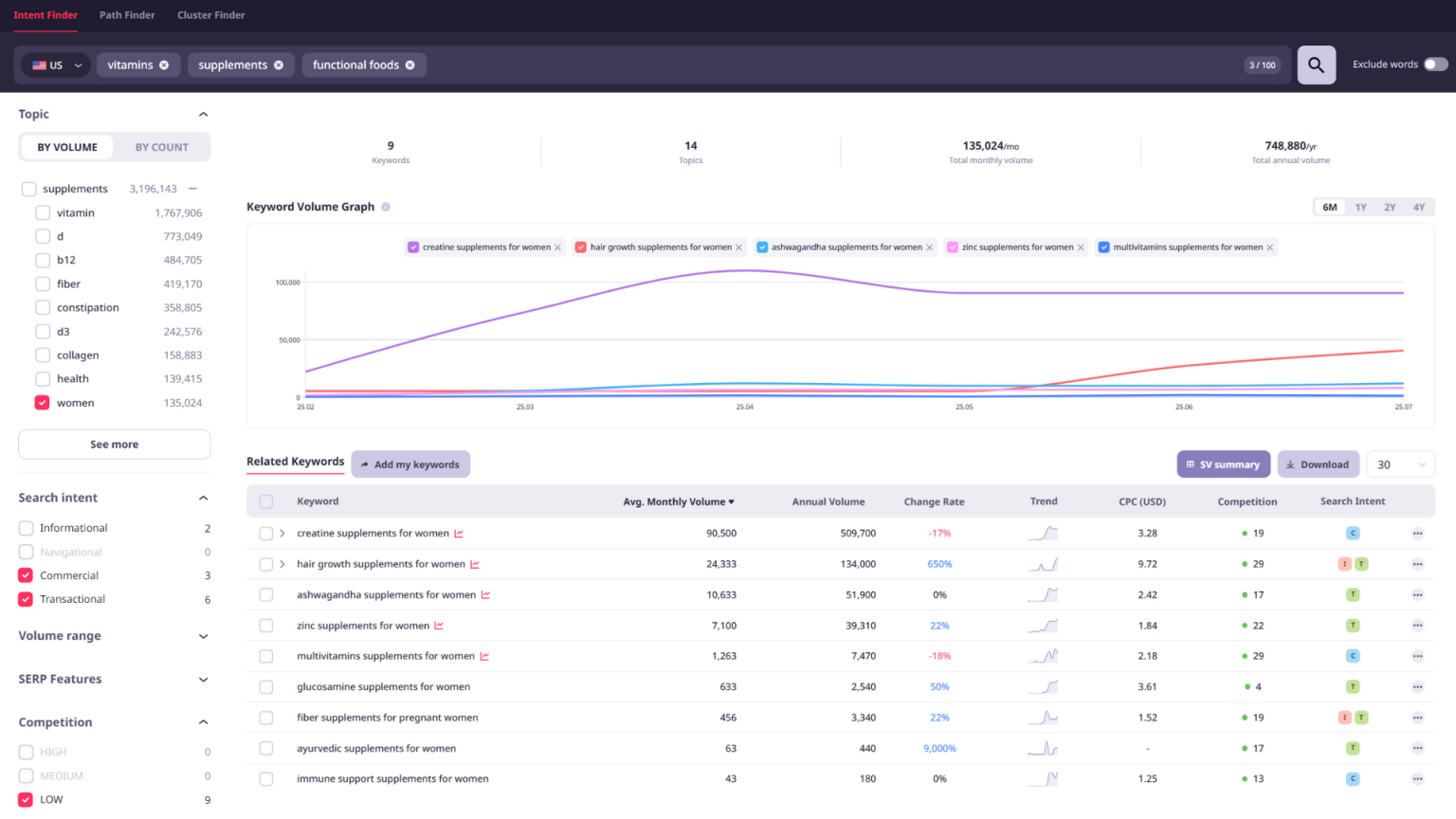
    Market Insight: Read markets with full, unbiased data
FEATURES

Key Features

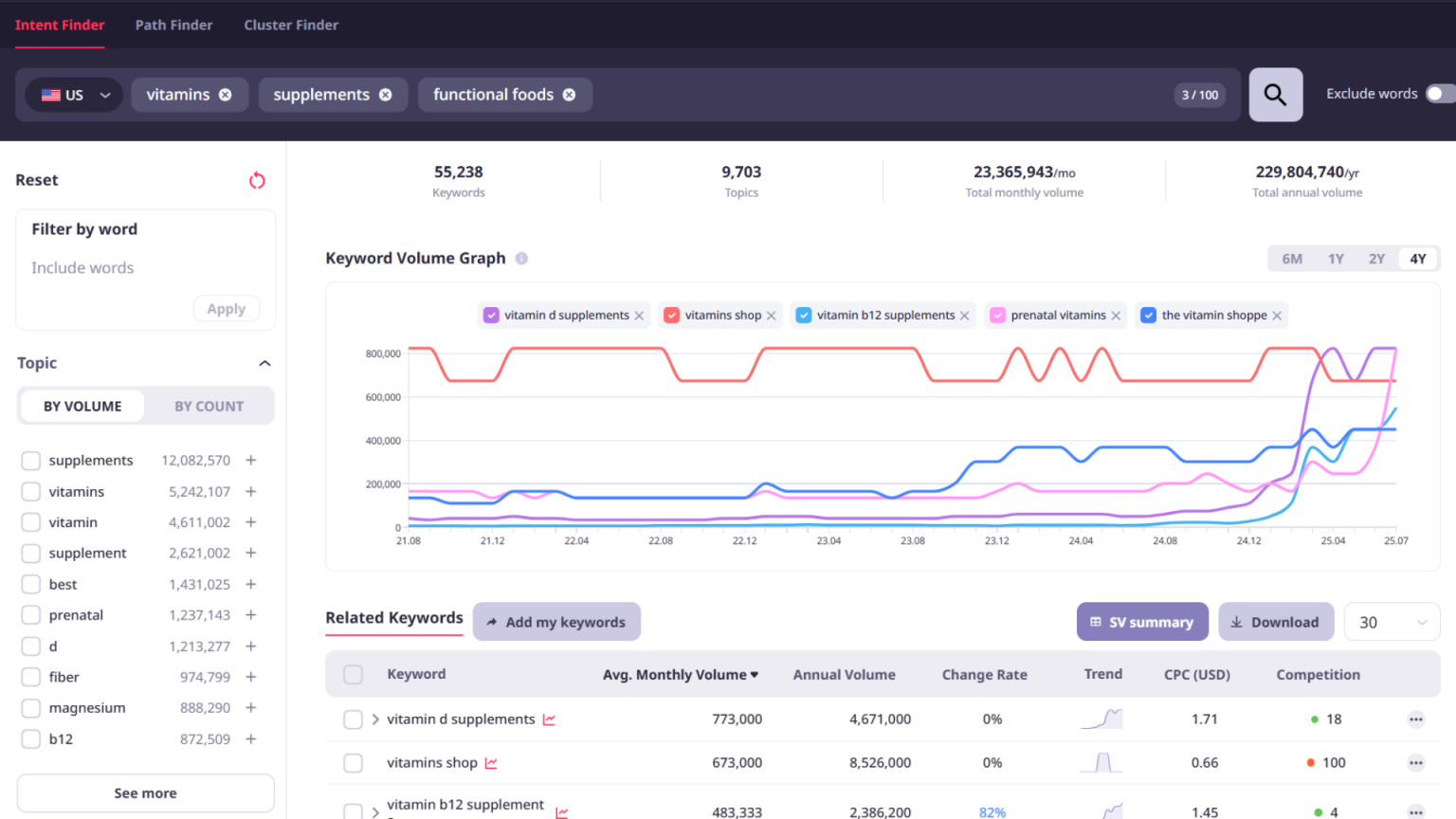
Analyze up to 100 keywords across the U.S., Korea, and Japan. Track long-term trends, evaluate CPC and competition, and automatically classify intent, all in one workflow.

  • Bulk Keyword Analysis and Topic Extraction preview

    Bulk Keyword Analysis and Topic Extraction

    Enter up to 100 keywords at once and automatically extract hundreds of thousands of related keywords. Quickly identify trends and patterns through fast time-series analysis and intent-based grouping.

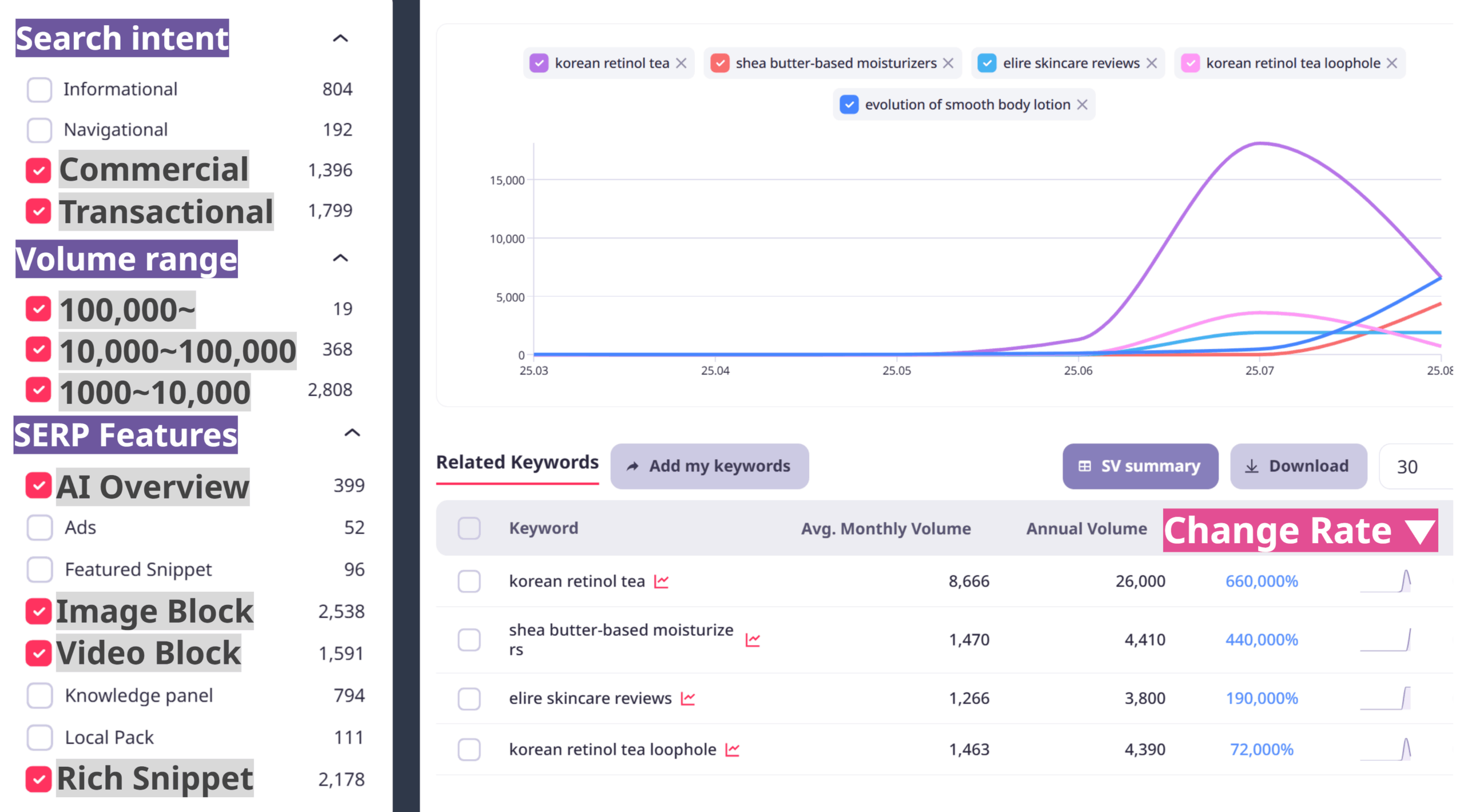
  • Automatic Search Intent Classification preview

    Automatic Search Intent Classification

    Automatically categorize search intents (informational, navigational, transactional, and commercial) to intuitively understand customer goals and contexts. Combined with SERP types and trend data, this enables the development of actionable plans.

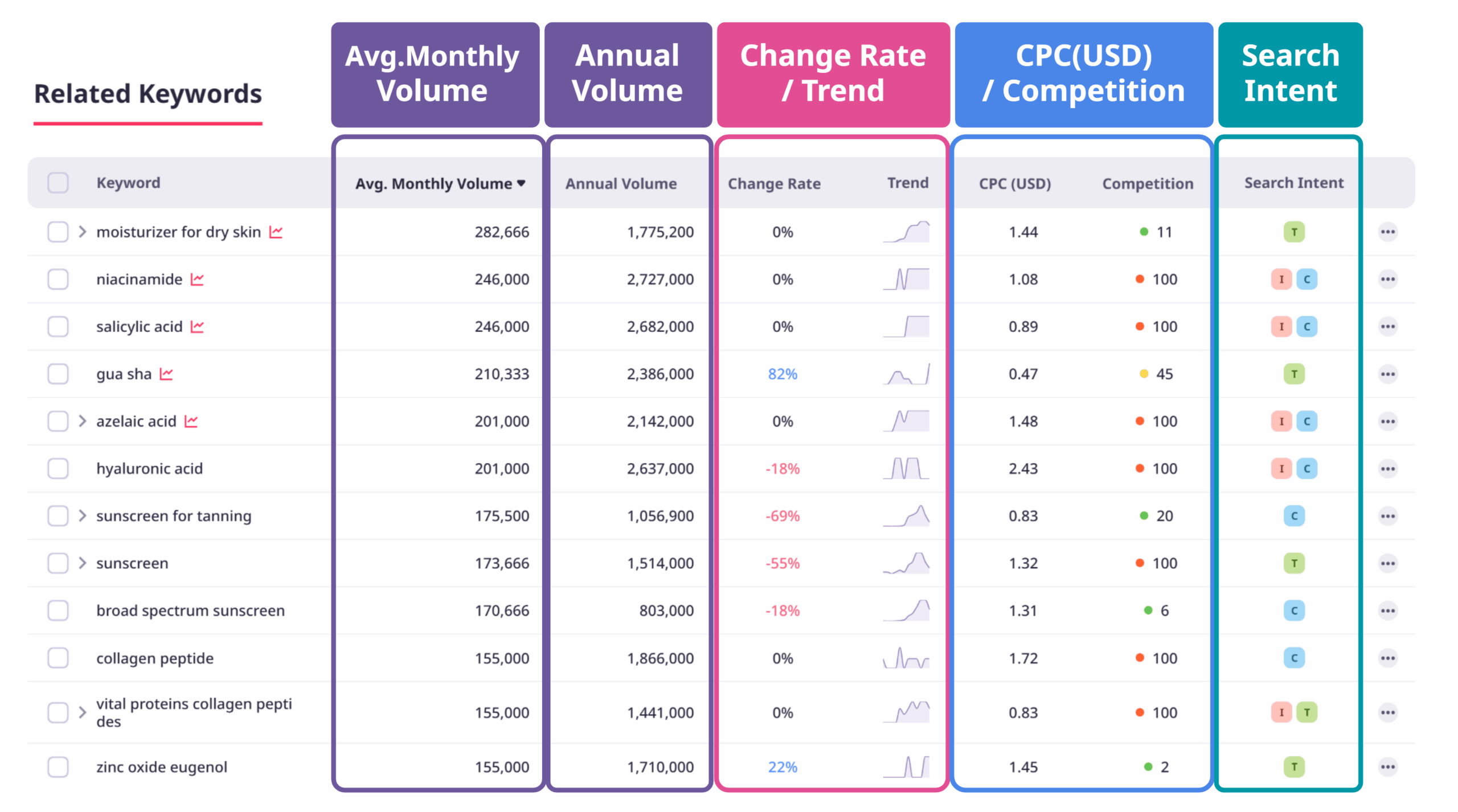
  • Ad & Campaign Optimization preview

    Ad & Campaign Optimization

    Use search volume, CPC, and competition data to maximize ROI. Focus on transactional and commercial keywords to reduce CPA and improve efficiency, while ensuring your campaigns target the highest-value intent signals.

From Insight to Action: Real Market Examples

See how Intent Finder surfaces hidden demand and intent signals across categories. Each use case is written in-house and powered by live search data.

Beauty Market Insights

Search data shows rising interest in K-beauty sunscreen and skincare routines. High-intent terms like “reef safe sunscreen” point to growing demand for eco-friendly products.

Read the full analysis →

The Real Trends in US Skincare

FAQ

Query Finder Can I exclude specific words from the Query Finder search results?

Due to the nature of Query Finder, all related keywords containing your entered terms are collected. As a result, keywords that do not match your specific objective or industry may occasionally be included.

  • Example: When searching the “supplements” market, terms like “eyelash supplements” or “dog supplements” may appear.

In such cases, you can use the ‘Exclude Words’ option located to the right of the keyword input bar on the results screen. Simply enter the words you wish to remove to see the filtered results.

Query Finder What keywords should I enter in the Query Finder search bar?

You can enter keywords in either single or multiple formats, depending on your data analysis goals.

① Single Keyword Search

Useful when you want to conduct a deep-dive analysis of the search intent for a specific topic.

  • Example: If you enter “diet,” you can identify various related search terms and consumer interests, such as “diet meal plans” or “diet reviews.”

② Multiple Keyword Search

By entering multiple keywords—such as brand names, categories, or specific objective keywords—you can analyze broader market interests and search flows. Grouping similar types of keywords together will yield more meaningful insights.

Since Query Finder collects and analyzes all related keywords based on your input, it is important to configure ‘Keyword Sets’ that align with your analysis objectives.

  • Example: You can analyze the market by entering your own brand alongside competitor brands and relevant categories, or you can focus on a single keyword for an in-depth study of a specific topic.

Depending on your subscription plan, you can enter up to 100 keywords at a time. Defining your analysis goal first and then entering the appropriate keywords will allow you to gain insights more effectively.

Query Finder What core functions does Query Finder provide?

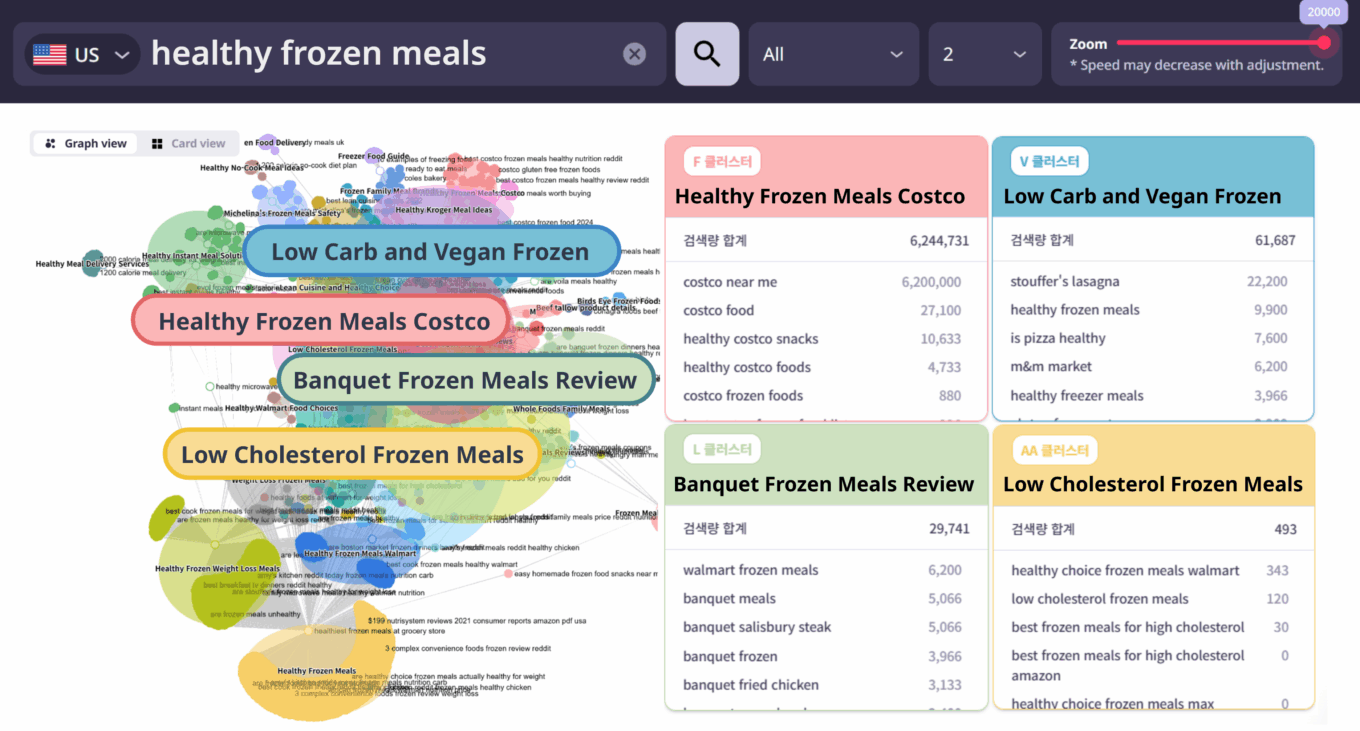
‘Query Finder’ is a feature that allows you to analyze consumer search intent based on search data.

By centering on specific keywords, it analyzes what topics consumers are interested in, what questions they ask, and what information they seek, providing an at-a-glance view of the intent structure.

Through this, you can understand the core themes and interests that customers are curious about, gaining insights that can be applied to content planning or marketing strategy development.

General What keywords should I enter?

Try entering a variety of keywords, including both Branded and Non-branded keywords.

  • Branded Keywords: e.g., Nike, Amorepacific, Skinfood
    • Useful for analyzing data related to purchase intent.
  • Non-branded Keywords: e.g., Diet, Summer, Anti-aging
    • Keywords from the early exploration stage that reflect customers’ concerns or interests.

TIP: Search engines recognize keywords differently based on the presence of spaces.

  • Example: “dietplan” vs. “diet plan” (Both variations are recommended for search)

General Data Sources and Methodology

The search data provided by ListeningMind is as follows:

  • Search Ads CPC, Competition: Based on Google Data.
  • SERP Data: Analysis of the TOP 20 Mobile Google Search Results (SERP).
  • Search Volume: Provided as Total Search Volume (TTL), integrating both PC and Mobile (MO). This measure is taken to minimize data omissions or deviations that may occur in certain keywords. Separate search volumes for PC and Mobile are not provided.

South Korea: Provides up to 4 years of integrated Google and Naver search volume.

  • Google and Naver data can be distinguished upon download with a Paid Plan.
  • Search user attribute data is provided using Naver data.

Japan · USA: Provides up to 4 years of Google search volume.

  • Data from other search engines is not collected.

See More Features

From Insight to Action: Real Market Examples

Experience intent-driven analysis with a free 7-day trial.